Your AI team, one chat away.
Every contact in EminifyBot is a bot that does real work. Brief it like a teammate, watch it use its own computer and your apps, and approve what matters. Run a separate team for every company you look after.
Free · Apache 2.0 · runs on the Claude, Codex or Grok plan you already have
A simulation: pick a bot, switch company from the top left, or type. Replies are scripted; the real app runs on your own machine.
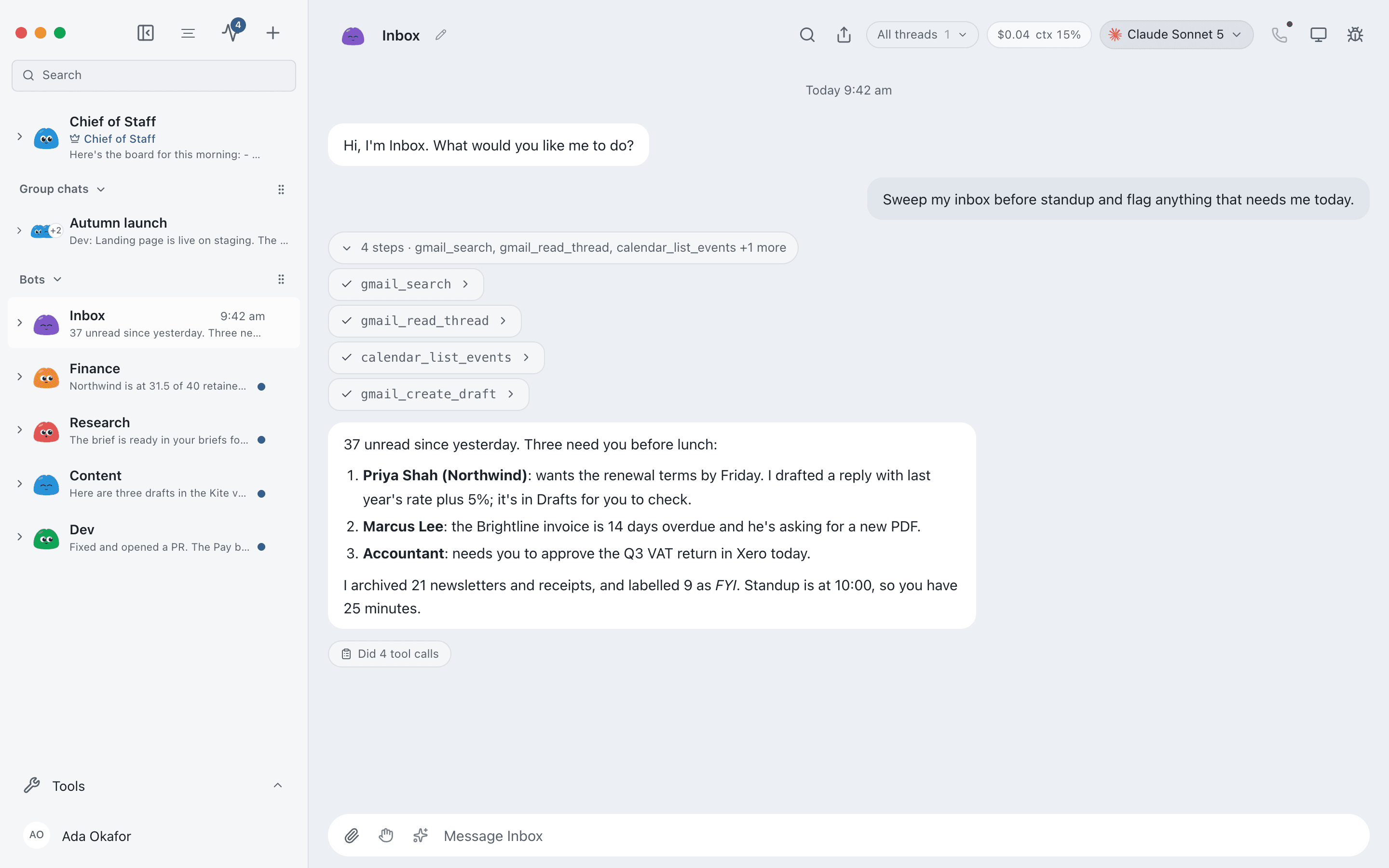
And this is the real thing
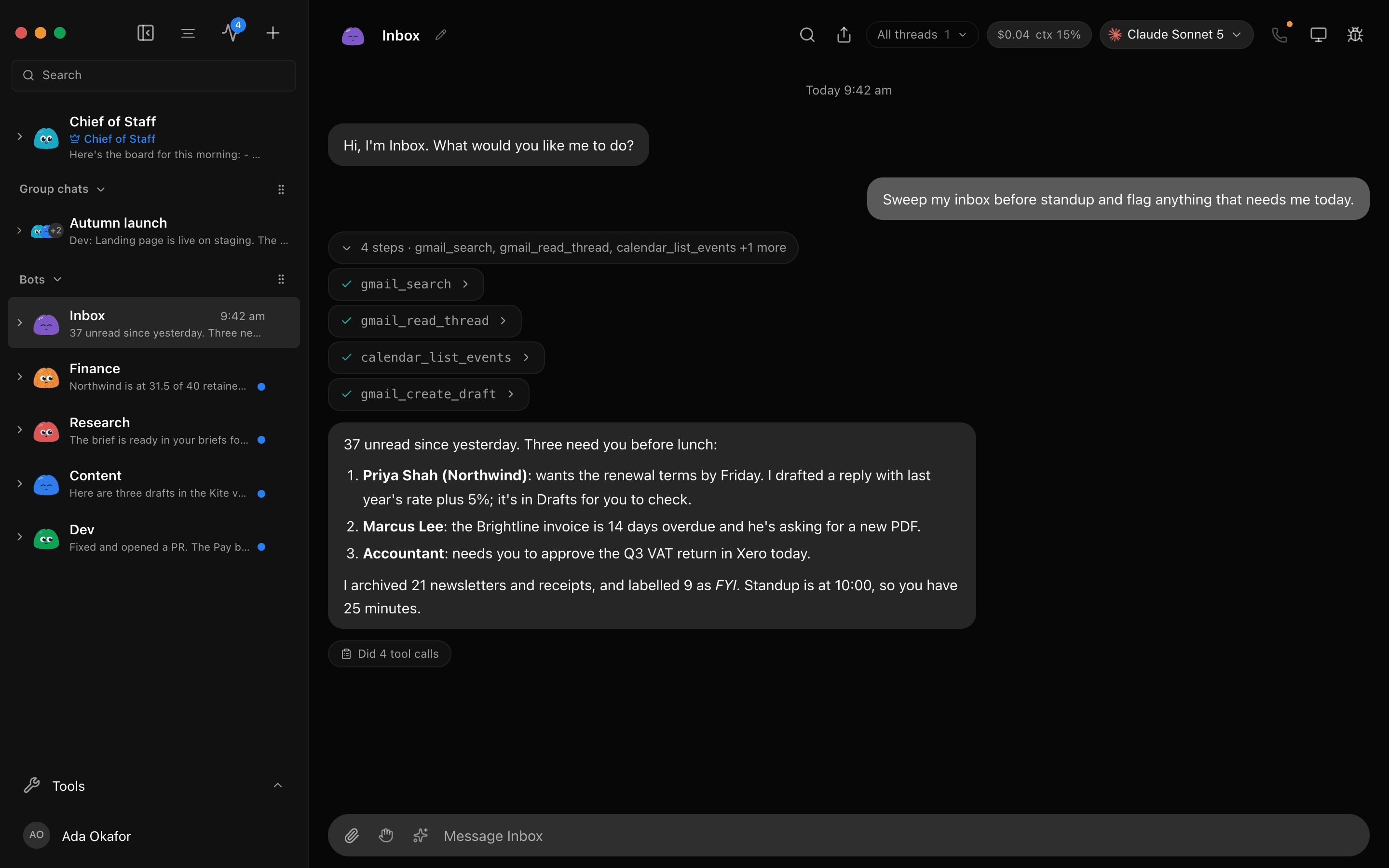
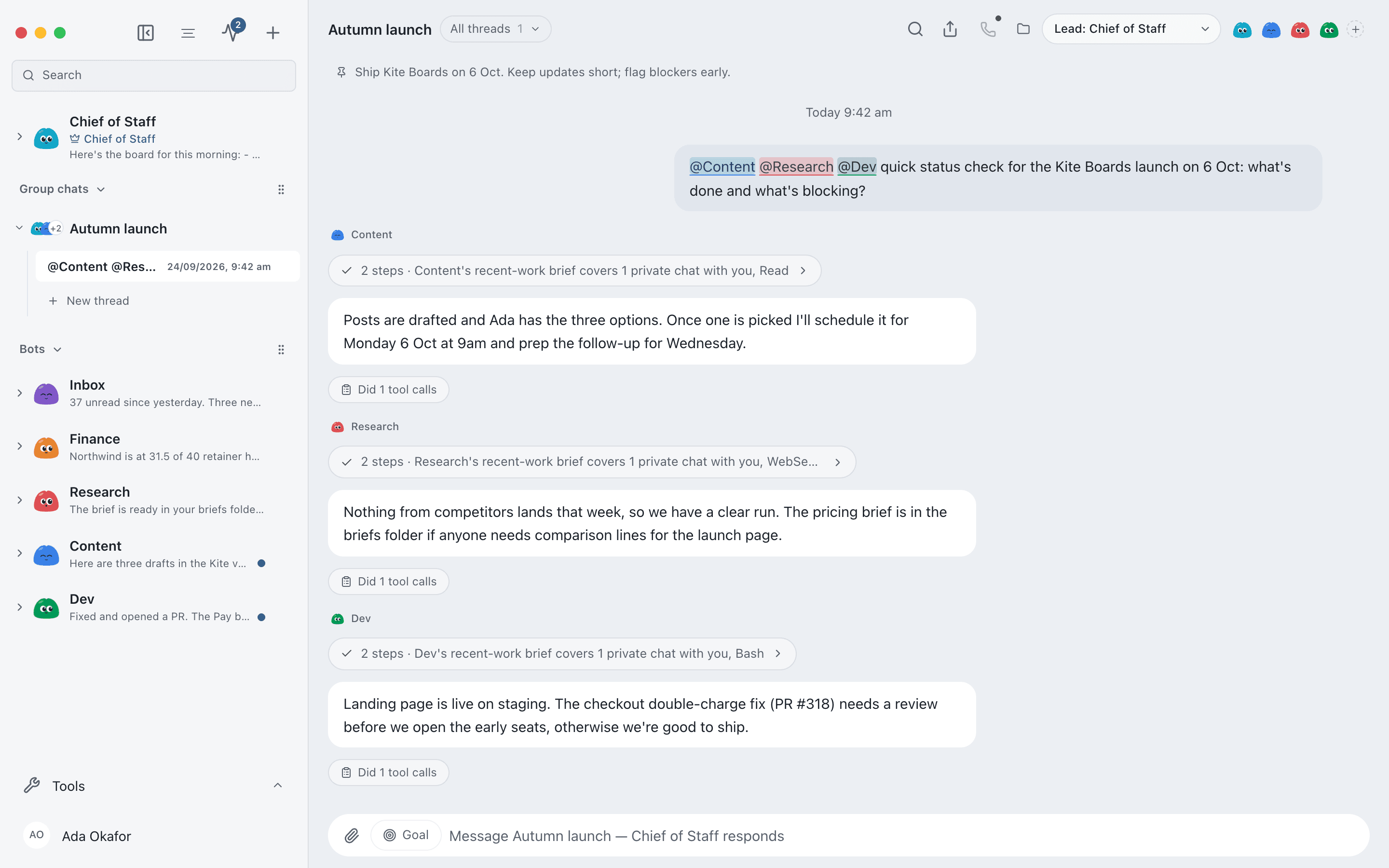
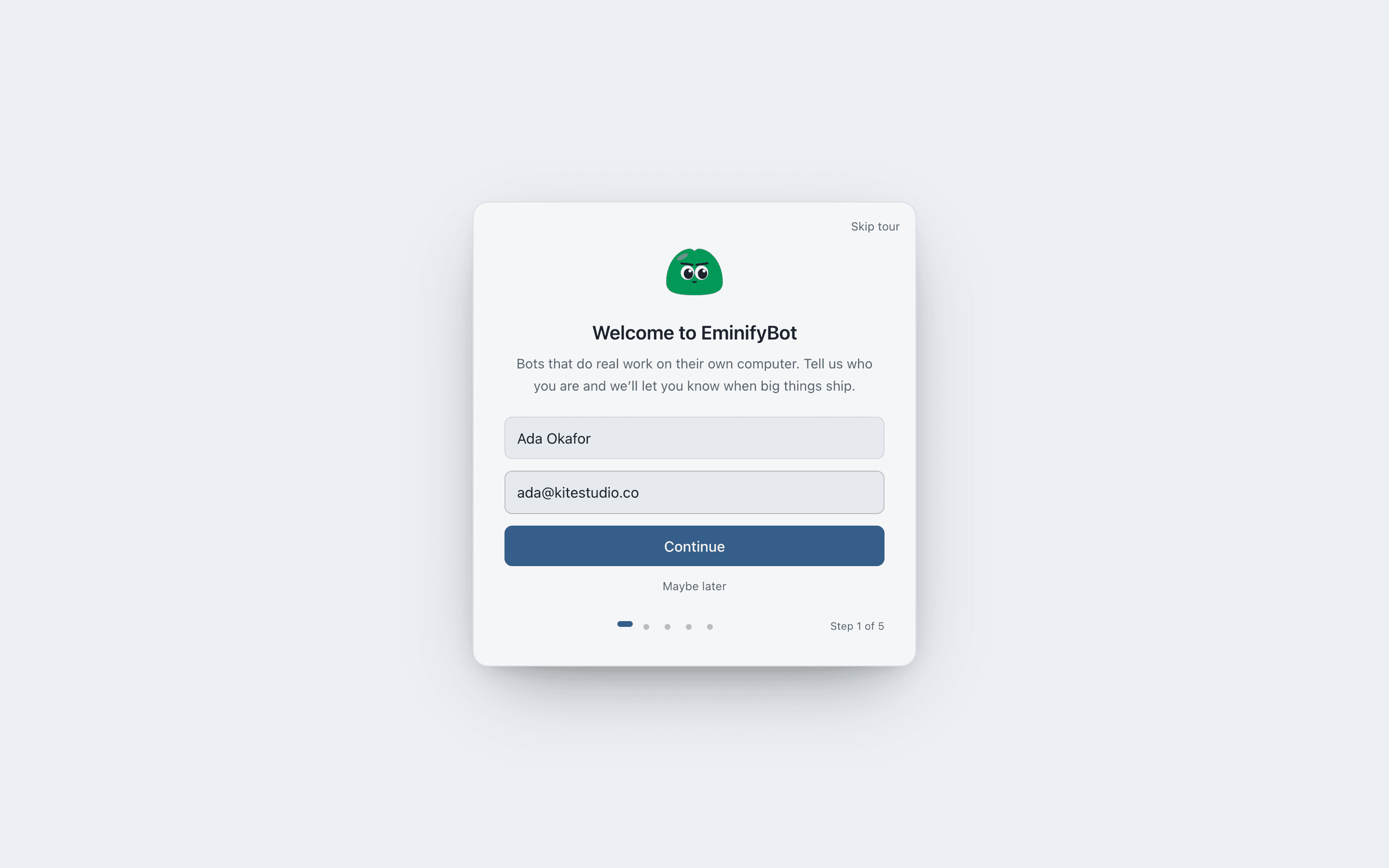
The EminifyBot desktop app: bots in the sidebar, a Chief of Staff in charge, group chats for projects, and every tool call visible as it happens.
Download
Everything EminifyBot needs is inside the app. Install it, sign in to one AI engine, and create your first bot.
macOS
- Apple silicon and Intel
- Drag to Applications and open
- First launch: right-click → Open
Windows
- 64-bit, Windows 10 and 11
- Per-user install, no admin rights
- SmartScreen: More info → Run anyway
Linux
- Ubuntu 24.04, x86-64 (beta)
- Install the .deb with apt
- The AppImage runs on most other distros
Always the latest build · all releases · needs the claude, codex or grok CLI, signed in
Message bots like teammates
Hand over a job in plain words. Your bot plans it, does it start to finish, remembers how you like things done, and only comes back when it needs a decision from you.
Work with many bots at once
Start with one bot. Add another when the work grows: one on outreach, one on the books, one on the code. They work in parallel and pass work between them.
A computer of its own
Each bot can get a cloud desktop, a private VM or a desktop on your own server, and uses websites and apps the way you would.
A separate team for every company
Each organisation has its own bots, memory, logins, keys, budget and brand. Only the one you're in is running; the rest are locked.
Bots remember how you work
Each bot keeps its own thread and memory, so the second time you ask, it already knows the context.
Put bots in one channel
Add a few bots to a channel and they hand work to each other. A Chief of Staff keeps the plan and chases what's late.
Everything a bot needs to do the job
Real screens from the app. The pieces that turn a chat into real work.
A brain per bot
Choose Claude, Codex or Grok models for each bot, and switch mid-conversation when a job needs more power.
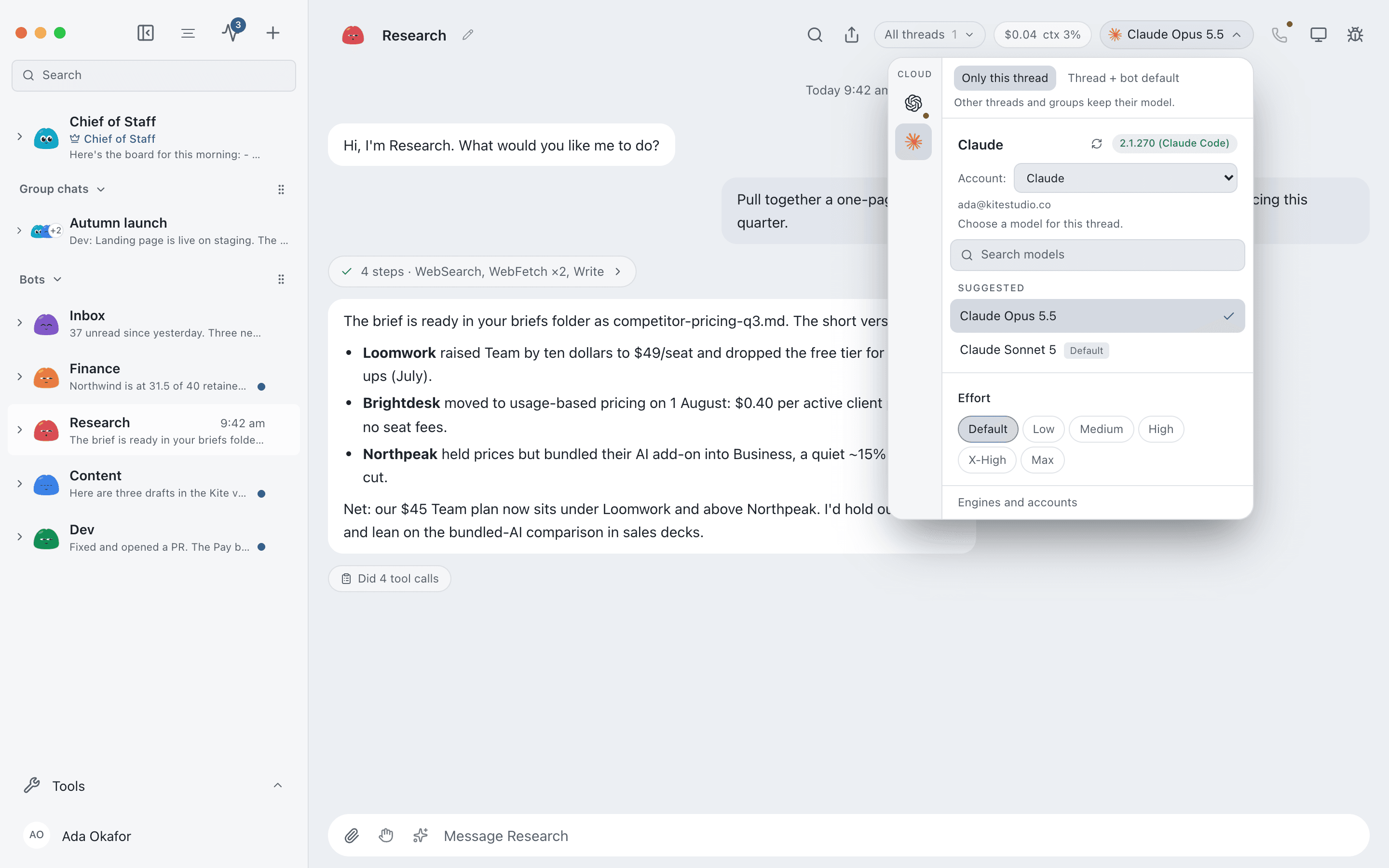
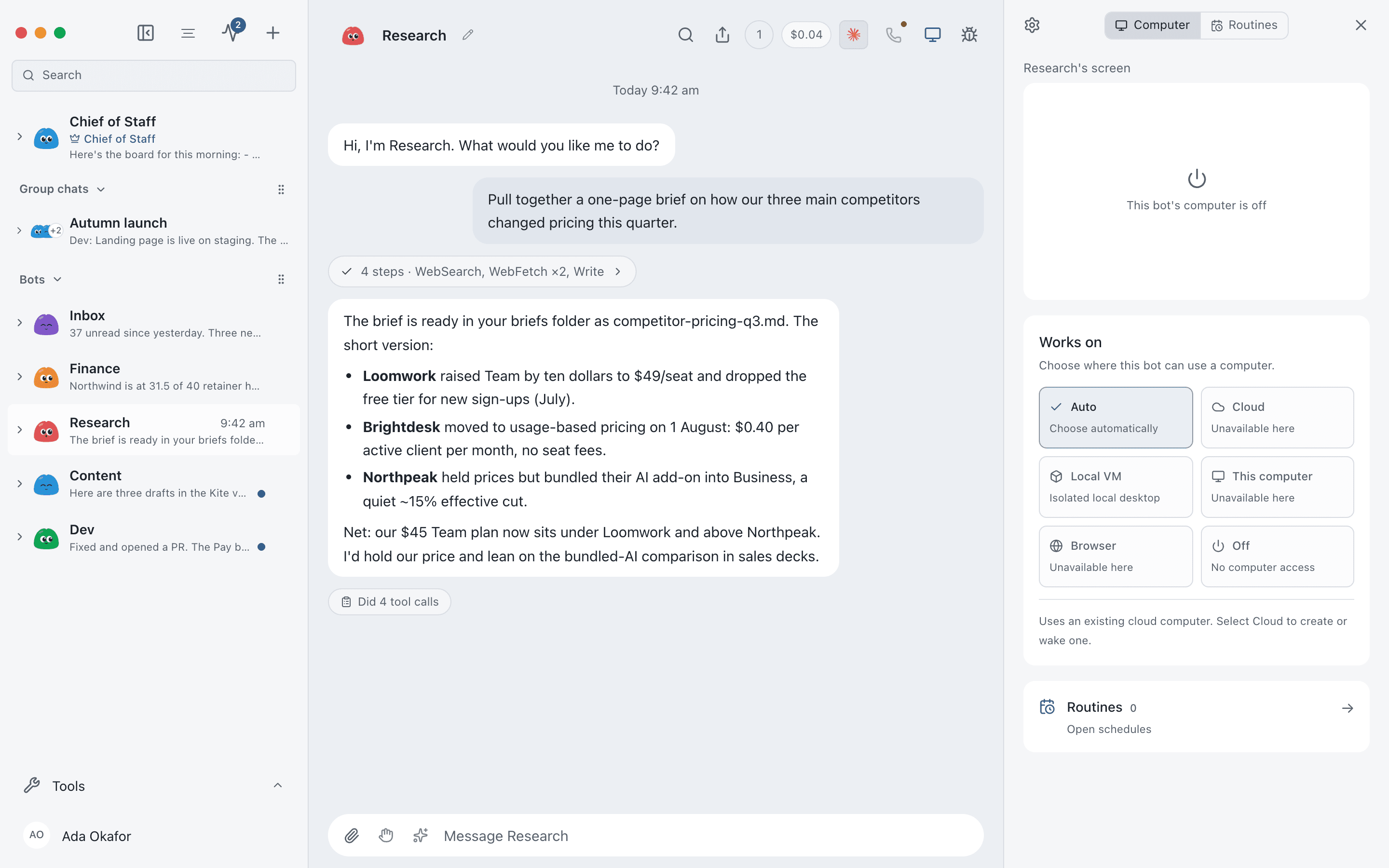
Every bot gets a computer
A cloud desktop, a private VM or a desktop on your own server. Watch the screen live and take over whenever you like.
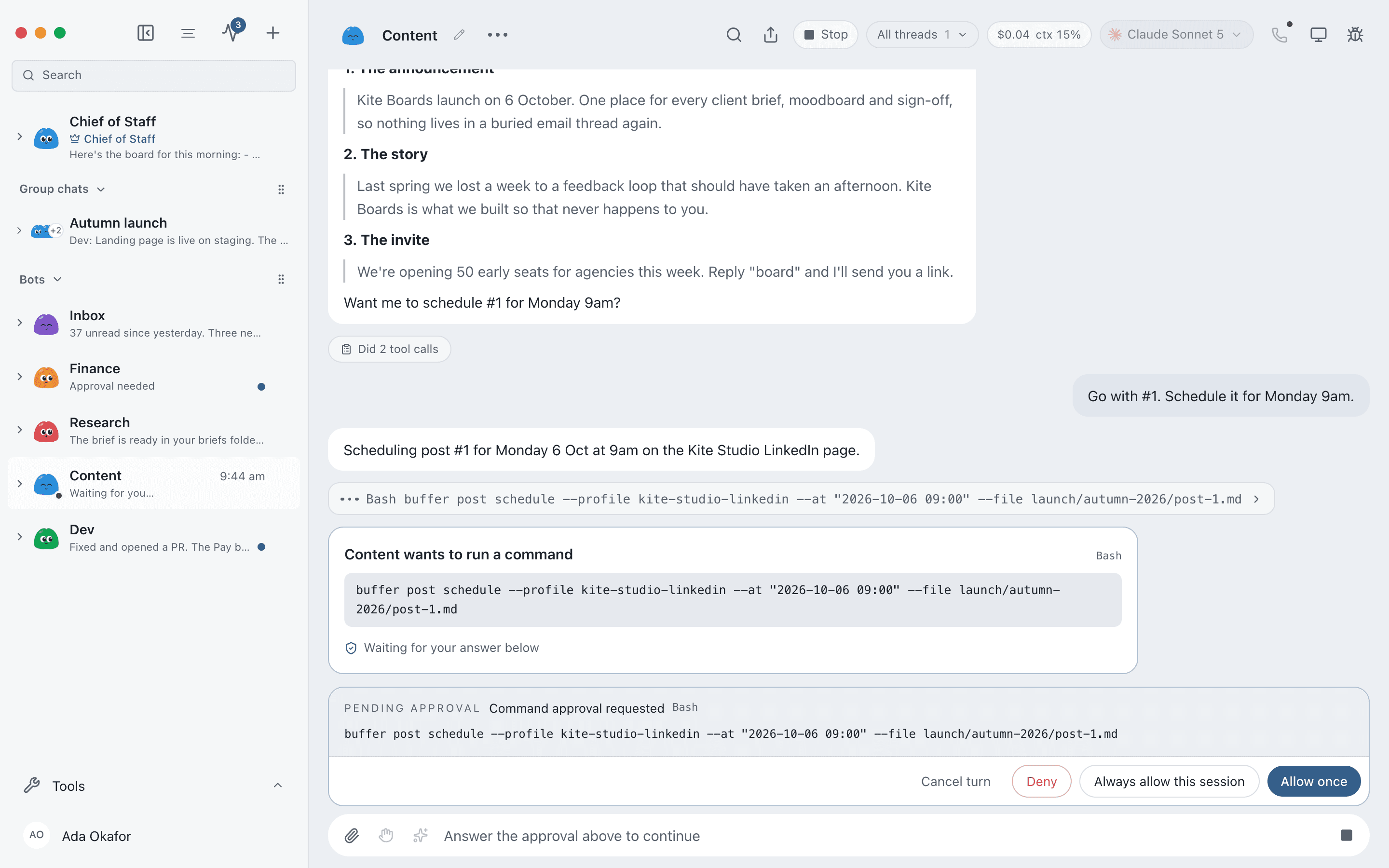
Asks before it acts
Emails, commands and file edits arrive as cards to Allow or Deny. Set each bot from "ask every time" to full trust.
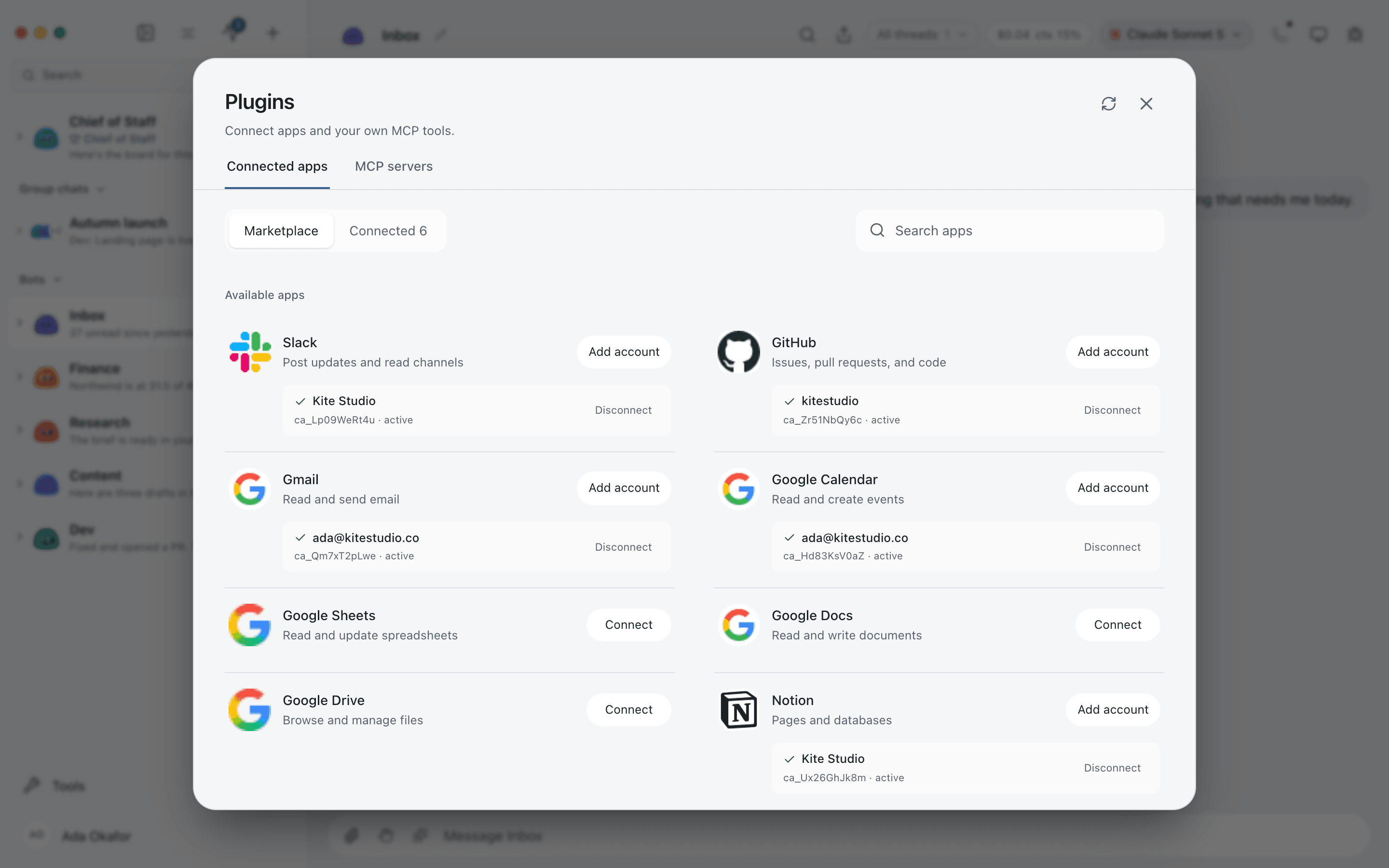
500+ connected apps
Connect Gmail, Slack, GitHub, Notion, Linear and hundreds more once. Every bot in that organisation can use them.
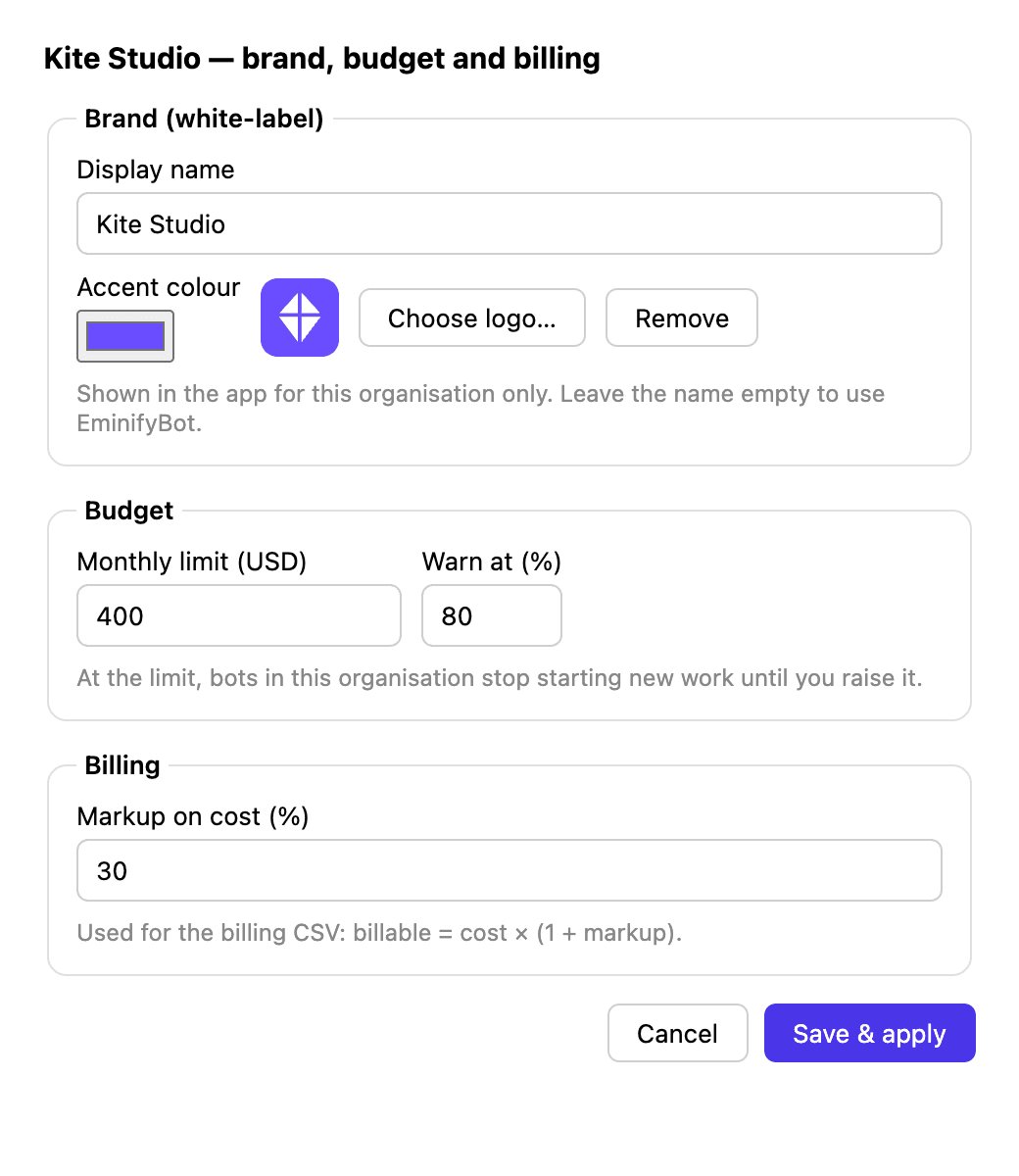
Budgets, billing and brand
Per organisation: a monthly budget, a billing markup for client invoices, and the client's own name, colour and logo.
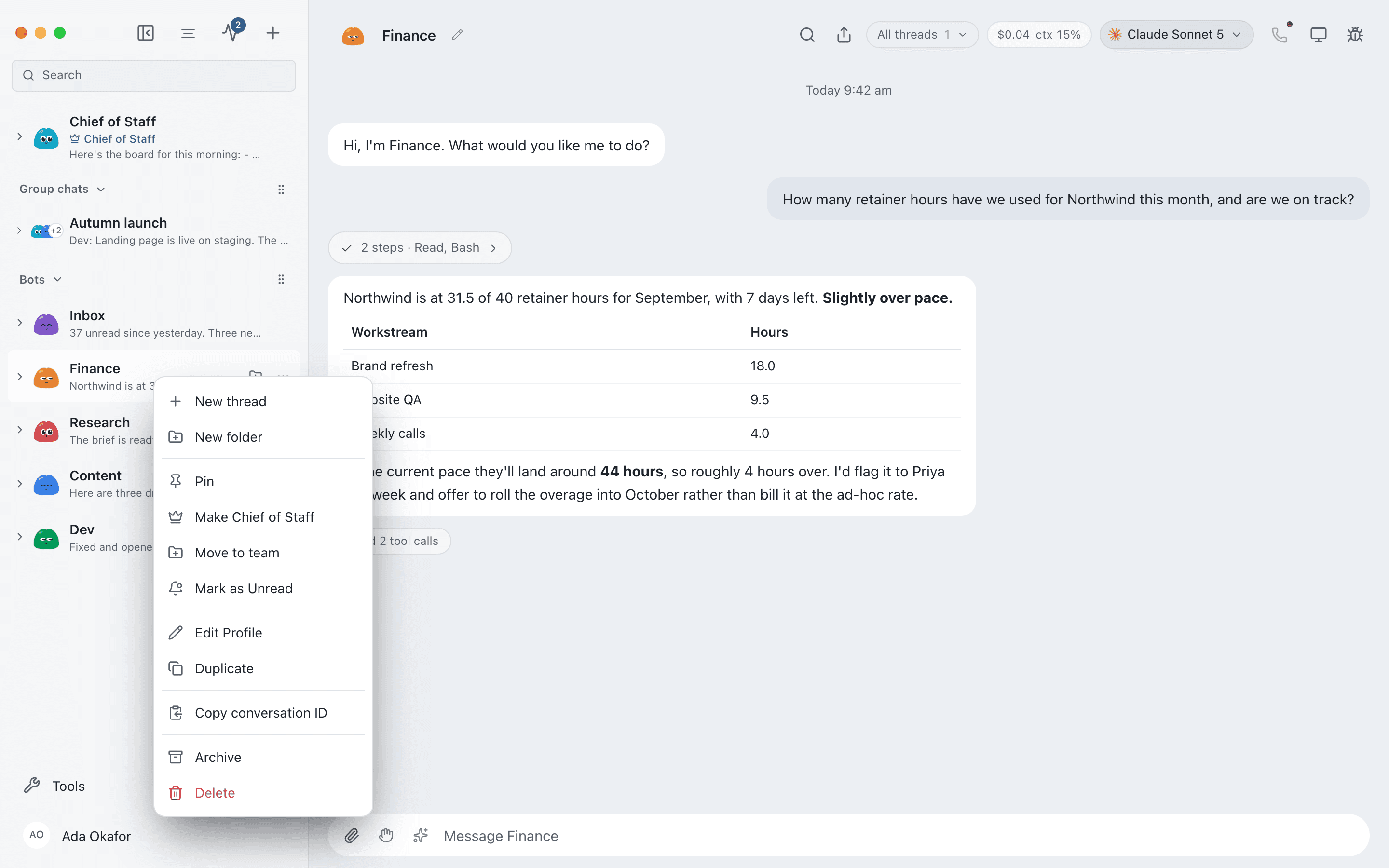
Manage bots like chats
Pin, mark unread, duplicate, hide or delete. Your bots behave like contacts in a messaging app.
Give each bot a job
Fill the pipeline overnight. Researches accounts, finds the right contact, drafts emails in your voice and leaves a list for you to approve.
See more jobsAda
Real jobs, done on a schedule
If you could explain it to a new hire, you can hand it to a bot. These are the jobs people usually start with.
Morning inbox
Weekdays at 7:30Clears newsletters, drafts routine replies and leaves the few that need you on top.
Late invoices
Mondays at 9:00Finds unpaid invoices, writes a friendly reminder for each and sends once you approve.
Release check
On every new tagInstalls the build on a clean computer, tries the main flows and posts screenshots of anything broken.
Code review
On every pull requestReads the change, points out real bugs and skips the nitpicks, before a person looks.
Competitor watch
Daily at 6:00Checks rival pricing and changelog pages and reports only what changed.
Week in numbers
Fridays at 16:00Revenue, signups and support volume in one short note for the team channel.
Support first pass
Every 15 minutesAnswers what the help centre already covers and hands the rest over with a summary.
Client report
1st of the monthBuilds each client's monthly report, with that client's logo and your billable hours.
How it works
Your AI, your machine
Bots run through the claude, codex and grok tools already on your computer, with your own logins and plans. Nothing sits in between.
One small local server
A server on 127.0.0.1 runs every bot and streams their work into the app as it happens.
Your data stays home
Transcripts, memory and keys live in ~/.eminifybot, in a separate folder for each organisation. No analytics.
Works with
Each bot needs a brain, a computer and access to your apps. These are the services behind each one.
Your login stays with the provider. EminifyBot never bills you for AI usage.
Where bots click, type and browse, and the apps they're allowed to use.
Pricing
Your bots run on your own AI plans, so EminifyBot charges per company, never per token.
Free forever
Download- 1 organisation
- Unlimited bots
- Computers, apps and voice
- All approval levels
- Your own AI plans and keys
Billed monthly
Get Pro- 3 organisations
- Budgets and usage per organisation
- Billing export and audit log
- Email support
Founder price for the first 300 buyers, then $199, then $249
Get Lifetime- Everything in Pro, for good
- All future Pro features
- Founder badge and early builds
- Hosted add-ons billed separately
10 client organisations, then $9 each
Get Agency- Everything in Pro
- White-label per client
- Branded client reports
- Priority support
FAQs
How is EminifyBot different from an AI assistant?
An assistant answers questions. EminifyBot bots do the work: each has its own computer, signs in to your apps, runs on a schedule and asks before anything risky. You can run many at once.
What is an organisation?
A completely separate workspace for one company: its own bots, Chief of Staff, channels, memory, AI logins, API keys, budget and brand. Only one runs at a time, and the others are locked on disk while you work.
Which AI do the bots use?
The claude, codex and grok command-line tools on your computer, with your existing subscriptions or API keys. You pick a model per bot and can switch whenever you like.
How much does it cost to run?
The Personal plan is free, with unlimited bots in one organisation. AI usage is billed by your provider as usual. Cloud desktops and hosted voices are billed by those services, only if you use them.
Does my data leave my computer?
Transcripts, memory and keys stay on your machine. Bots send prompts to the AI provider you chose and use the apps you connected. EminifyBot itself collects no analytics.
Can a bot control my own computer?
Only if you turn it on, and only on macOS or Ubuntu with Xorg. Otherwise bots use a separate cloud desktop or a local virtual machine.
Is it open source?
Yes. The app is Apache 2.0 licensed and the source is on GitHub.
Meet your first bot
Free, open source, and running in about two minutes.